This is useful so that you can learn which file types are likely to do the most damage and exercise caution accordingly. Teams is also a preinstalled Taskbar item in Windows 11, but that also requires a Microsoft Account. Of course, I removed all these apps and taskbar items. Accept the UAC prompt that appears, and a Powershell window should open along with a pop-up menu . It lists various Windows Builds that you can download. Since we want to download Windows 11, you have to click the “11” button at the bottom of the list.
Beginning in the early 2000s, Windows dominance has lessened with the growth of the Linux and Mac operating systems. In addition, Windows 10 has a central notification centre, similar to those seen on mobile devices and other operating systems like as macOS and Ubuntu. One of the new features of Windows 10 was the option to pin an app to all of your virtual desktops. As Windows 11 is about to release for Windows users, here are details about when did Windows 10 come out and a Recap of the features of Windows 10. Archived from the original on January 31, 2015.
How To Mirror And Split
With customizable settings and configuration options, the popular sandbox game lets you try out different modes with friends. The graphics have improved, and the game retains its true essence as a Minecraft-based adventure. If you own a Windows PC, you should download Minecraft right now to explore worlds full of fun. Unlike Raft, the best part about Minecraft Windows 10 Edition is the cross-platform play. While playing the game on your PC, you can pick up the saved progress on your smartphone. Similarly, you can continue playing on Xbox or other devices.
- Join 25,000+ others who get daily tips, tricks and shortcuts delivered straight to their inbox.
- During this trial period, you can access the entire Netflix catalogue so you get a real experience of all the options to watch.
- Sure, it’s a small change, but can certainly help you if you deal with multiple virtual desktops on your PC.
- Drag a window to one side of the screen, release the mouse, then select a window to snap to the other side.
If you forget the Win+Homeshortcut, you can also use this technique to minimize windows. Though I will say it doesn’t always seem to work for me. There is something to be said for manually controlling individual windows by dragging them to the left or right.
How To Stop Automatic Windows Updates
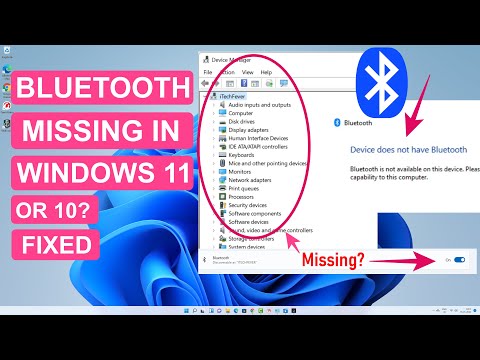
You’ll find all the popular productivity apps, Mail, Photos, Calendar, etc. It also includes Cortana voice assistant integration and support for digital pens and touch screen devices. I had already completed all the Windows 10 repair steps I know about, and was considering a re-install – then I found this article. Since Device Manager did not display a CD/DVD Rom Drive, I was not able to re-install the drivers. I was, however able to remove the IDE ATA/ATAPI Controlers – ATA Chanel 0 , then was directed to reboot. After the reboot, my DVD Burner is now displayed.
Method 3: Roll Back To The Previous Driver Version
Yes, it will be a “free” upgrade, but there are just too many things that can go wrong for me to want to chance it. As is always the case with a new version of Windows, Microsoft also isn’t promising that older programs and peripherals will work with Windows 11. If you run into trouble, you can turn to the App Assure program and hope Microsoft can help if something goes awry with any specialized mission-critical program. In addition, Windows 11 also requires your PC to havehardware-based isolation, Secure Boot, and Hypervisor Code Integrity built-in and turned on by default. This will protect you from malware and ransomware.
As shown above, Windows 10 has a new settings application installed which we recommend you use. But you can also use the “control panel” found in Windows 8 and earlier. To any familiar PC https://driversol.com/dll/steam-api_dll user, the conventional method of using the control panel to display various settings is still possible.